Build levels in Blender: the DarkRoast add-on sets up physics, scripts and sound

DarkRoast

A C++ game engine that uses Blender as its editor
2026-10-25 · free · Windows 10/11 (64-bit) · Blender 4.0+
Blender + add-on → .glb + components + Lua + sounds → DarkRoast runtime
OpenGL 4.5 or Vulkan 1.3 · Jolt Physics · Lua 5.4 · Recast/Detour · miniaudio
🎮
Windows build
Engine, shipping player, the built-in player body, Blender add-on and a one-click benchmark · free, including for games you sell
9.2 MB
🤠
Data Rustlers — new: a neon Western shooter, alone, co-op or deathmatch
The vertical slice, start to finish, in greybox: gunfights, bullet time, a saloon and a boss duel, for 1–4 players, plus a deathmatch; a lobby, and games on your network listed to join · unzip and run Data Rustlers.exe
43 MB
🔥
Ember Temple — play the game
Three levels made with DarkRoast, played as the cowboy · unzip and run Ember Temple.exe, nothing to install
21 MB
✨
Showcase — new: a walk through what the engine can do
Golden-hour sun through glass into fog with trees outside, a hall of mirrors, a glass gallery and a fire court with things to break · unzip and run BlendForge Showcase.exe
12 MB
🏃
2D Demo — a pixel-art side-scroller
Run, jump, collect coins, push crates, chiptune music · unzip and run 2D Demo.exe (A/D or arrows, Space)
4.4 MB
🏎️
Racing Demo — new: a cockpit view with a dash and steering wheel
Host a race for up to eight on your network, or race the AI; the laps, opponents and their pace are yours to pick, and the results show at the end. C switches to the driver’s seat · unzip and run Racing Demo.exe (W/S, A/D, Space handbrake)
4.0 MB
🌐
Multiplayer Demo — push crates into the goal together
Run Multiplayer Demo.exe and choose Host, then Join from a second copy, or from another PC with --join and the host’s address
5.8 MB
📚
Samples & docs
The demo levels as .blend files with every script, the scripts that build them, the Ember Temple project and the docs · MIT licence: take them apart
81 MB

Features

🎨Blender is the editorModel, light and lay out levels in Blender. Physics, scripts, sounds and world settings live in a BlendForge sidebar tab.
▶️Press Play, hot reloadOne click exports and runs the scene. Press it again while the game is open to reload instantly.
🚀Launcher and updatesPackaged games start with a choice: play on the screen, with Vulkan, or in a VR headset (remembered if you like). Give the game an update feed and it offers new versions itself, checked and swapped in when it closes.
🔗Live linkMove objects and tweak lights in Blender while the game is running — changes appear immediately.
✨Modern renderingPBR from Principled BSDF, one-click baked global illumination with Cycles, a physical sky, cascaded shadows, volumetric fog with light shafts, screen-space reflections, mirrors and glass that bends and tints what’s behind it, TAA, depth of field, motion blur, colour grading and auto-exposure. New: real-time global illumination (light bouncing off walls and floors, traced on the GPU every frame, nothing to bake) and a path-traced reference mode. Occlusion culling and levels of detail keep big scenes fast.
🌋Vulkan rendererAdd --vulkan to draw with Vulkan 1.3 instead of OpenGL. New: it does everything the OpenGL renderer does except VR — shadows (lamp shadows cached between frames, and the sun’s in top-down and 2D views too), ambient occlusion, reflections, mirrors and glass, volumetric fog, baked and real-time global illumination, the path-traced reference mode (about twice as fast as on OpenGL), virtual geometry, area lights, motion blur, auto-exposure, temporal upscaling, contact shadows, occlusion culling and variable rate shading on NVIDIA. How →
💎Virtual geometryTick Virtual Geometry on a dense mesh (a scan, a sculpt, a high-poly statue) and the engine draws it from small clusters at the detail the screen can show, like Nanite. A 36-million-triangle valley draws in about 9 ms instead of 46.
🌍World streamingTick World Streaming and a big level is split into a grid of cells, loaded on background threads as the player comes near and unloaded behind them, like World Partition. Things the whole level needs stay loaded.
💡Hundreds of lightsClustered lighting plus shadow-casting point and spot lights. Lamp shadows are cached and only redrawn where something moves.
🌲GPU instancingLinked duplicates, collection instances and geometry-nodes scatters render as thousands of instances.
👾2D games tooOrthographic cameras, sprites with sprite-sheet animation, sorting layers and sharp pixel art, lit or unlit, and 2D physics that keeps bodies in the picture’s plane. Make a side-scroller →
🧱Jolt physicsStatic, dynamic and kinematic bodies, triggers, and objects you can pick up and throw.
🤠A body, in first or third personThe player is an animated cowboy that walks, runs and idles with your speed (or bring your own Player Model). Press C for third person. In first person you see your own arms, legs and boots, and you carry things in both hands.
🏎️CarsModel a car in Blender, tick Vehicle, and it drives: suspension, tyre grip, an engine and automatic gearbox. Drive it from Lua, add AI drivers and run a race. Build a racing game →
💥DestructionTick Breakable on a wall, a window or a crate and it’s cut into pieces when you export. A hard enough hit, or one line of Lua, breaks it apart, and the pieces fly, fall and fade. Works in multiplayer.
🎆Particle editorBuild effects from modules in a Blender node editor, like Niagara: spawn, shapes, forces, turbulence, vortex, floor collision, colour and size curves, flipbooks, and sub-emitters (fireworks that burst where the rockets die). Simulated on the GPU. How →
🧩PluginsFolders that add Lua modules, scripts that run in every level, Logic graph nodes, or native C/C++ code in a DLL. Tick them per game in Blender; Package Game ships them. How →
🤖Navmesh AINavigation meshes built automatically from your level. Agents path-find and avoid each other, wait at closed doors and walk around crates you’ve put down.
📜Lua scriptingScripts on objects and levels: triggers, E-to-interact, spawning, timers, raycasts, HUD text and level switching.
🧩Logic graphsVisual scripting in a Blender node editor: events, actions and values wired together, no code needed. Graphs become Lua when you press Play, alongside any scripts. How →
🥽VRAdd --vr and any game plays in a Meta Quest (Link or Air Link) or SteamVR headset: your head is the camera, the sticks move and snap-turn, and the right controller aims, shoots and carries, with a dot where it points. The HUD and menus float in front of you, hints name the controller’s buttons, and what the player held moves into your hand. New: --vr-scale for a sharper picture, and lighter graphics by default so the headset keeps up. How →
💻Runs on laptops tooThe first time a game runs, it picks a quality preset for the graphics card: integrated Intel and AMD graphics start on Low (rendered smaller and rebuilt by TAA, the costly effects off), graphics cards on High. Players can change it in the pause menu.
🌐MultiplayerHost and join over the network. Objects marked Replicate move the same for everyone, and so do enemies spawned from model files, animations and all. Players see each other’s bodies run and aim, and scripts share messages and scores. How →
🎬AnimationObject and skeletal animation with crossfades, root motion and shape keys. Animated colliders become moving platforms.
👥CharactersEvery character plays its own clips. Tick Character Animation, pick idle, walk, run and jump, and it animates itself from how it moves. Spawn rigged characters from model files at run time.
🔫ActionBullet time that slows sound too, the player’s arm raised at the crosshair by IK, recoil, and glow, tint and fade on any object from Lua for hologram and glitch effects.
🎮Gamepad & savesKeyboard, mouse or gamepad with rebindable controls, a pause menu, and save / load from scripts.
🎭Menus & game flowTitle menus, title cards, fades, health bars, checkpoints, multi-level games, music that carries across levels, and bundled fonts that look the same on any OS.
📦Package GameEvery scene becomes a level. Get a standalone, console-free .exe plus a ready-to-share zip, with BC7-cooked textures.

Data Rustlers

A neon Wild West shooter, in the making, set inside a frontier town whose simulation is coming apart. The vertical slice plays from start to finish in greybox: the town boots up, a hologram marshal gives you the job, outlaws come down Main Street from cover to cover with a sniper on the roofs, you clear out the saloon, and at high noon you face the Glitch Kid, who jumps between rooftops and splits into copies.

It has a revolver and a sawn-off you raise to shoot, bullet time with visible bullets, ammo to scrounge, and outlaws who glitch out when they fall. Play it alone or in co-op for 2–4 players: one hosts from the start menu, the others join, and everyone fights the same outlaws, shares bullet time and picks each other up. Or host a deathmatch: the same street, no outlaws and no bullet time, everyone against everyone, first to 10 kills. Hosting opens a lobby, and games on your network show up on everyone’s start menu to join with a click. Crouch (Ctrl) behind cover and the outlaws lose sight of you. Everything is placeholder art for now. It’s free: download it above.
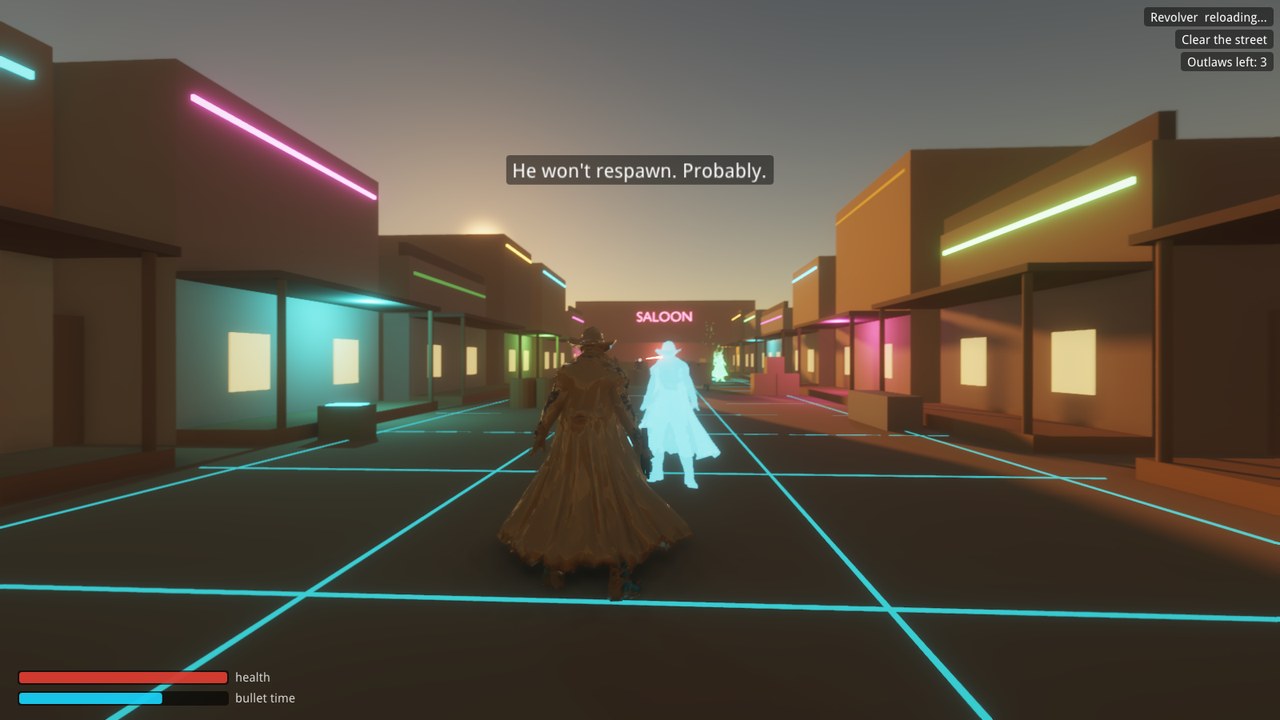
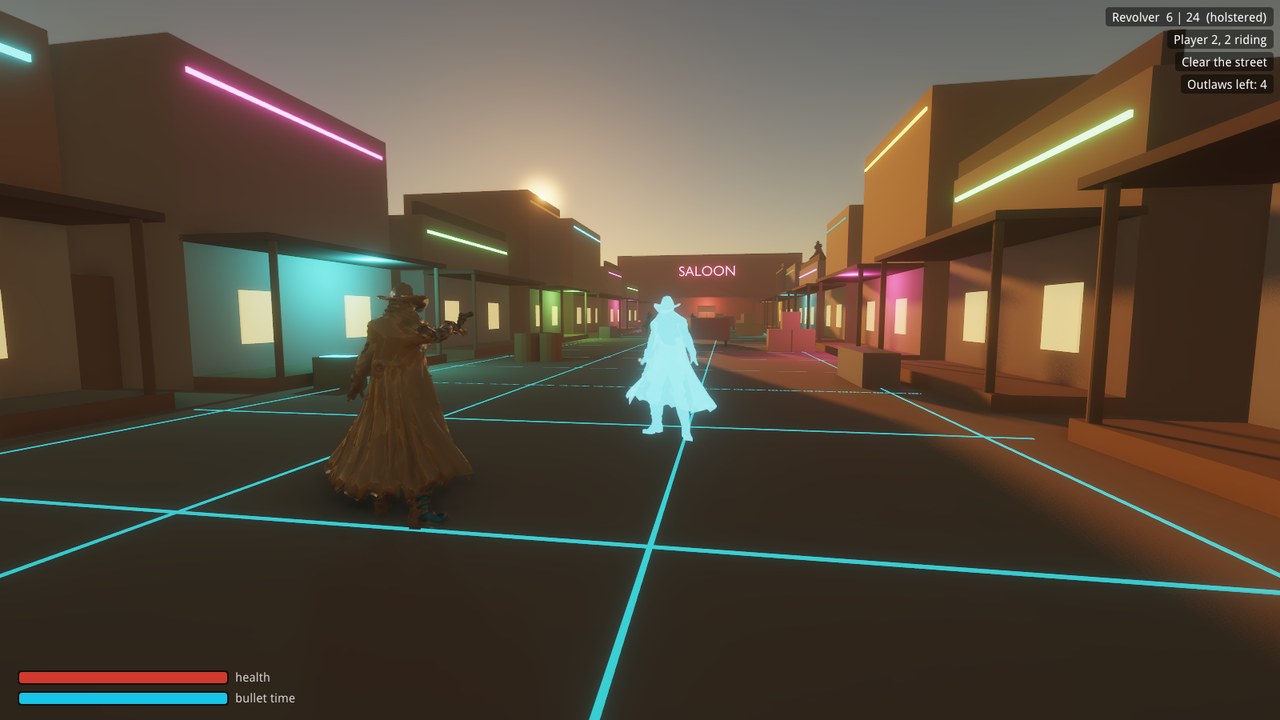
A cowboy in a buckskin coat on a dusk street of neon-trimmed storefronts, a glowing grid in the dirt, beside a translucent cyan hologram of a marshal
Main Street at dusk, with the hologram marshal
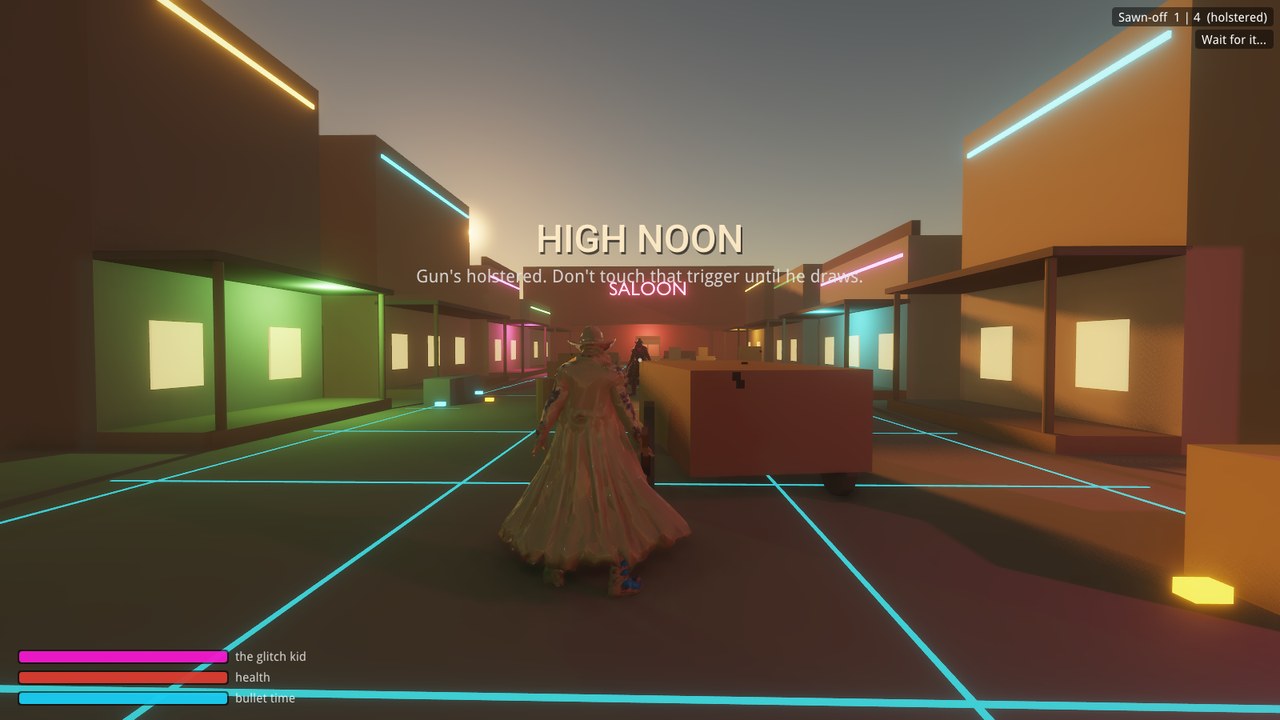
The words HIGH NOON over the street, the cowboy facing down the saloon
High noon: wait for the Glitch Kid to draw
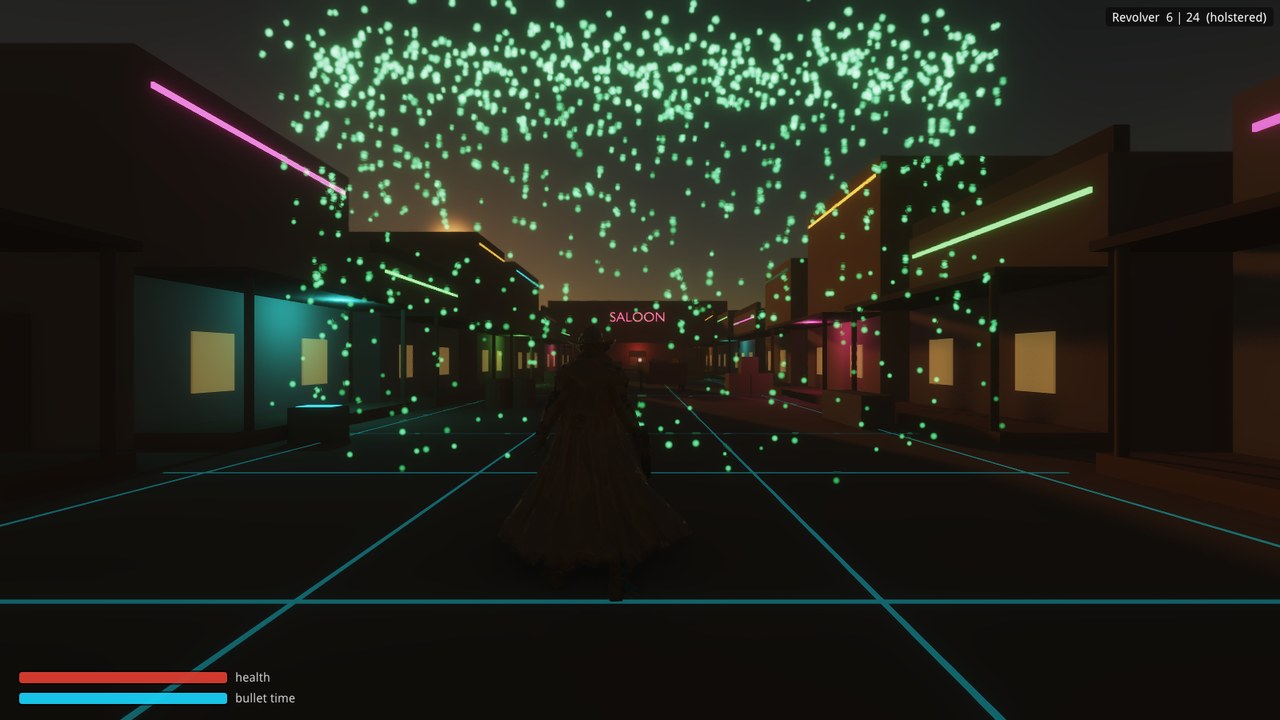
Green code raining over the dark street as the town boots up
The town boots up in code rain
Co-op seen by player 2: the host in his buckskin coat with his revolver raised, beside the cyan hologram marshal
Co-op: your partner, gun up, through your eyes

Ember Temple

A complete game made with DarkRoast, built to find out what a real game needs from the engine. Every gap it uncovered was fixed in the engine along the way. Find the three embers and wake the temple: weigh down pressure plates in a sunset courtyard, pull three levers past the guardians in a torchlit hall, then free the last ember in the moonlit sanctum.

It has a title menu, saves, checkpoints, music, a win sequence, and an automated playthrough that tests every build.
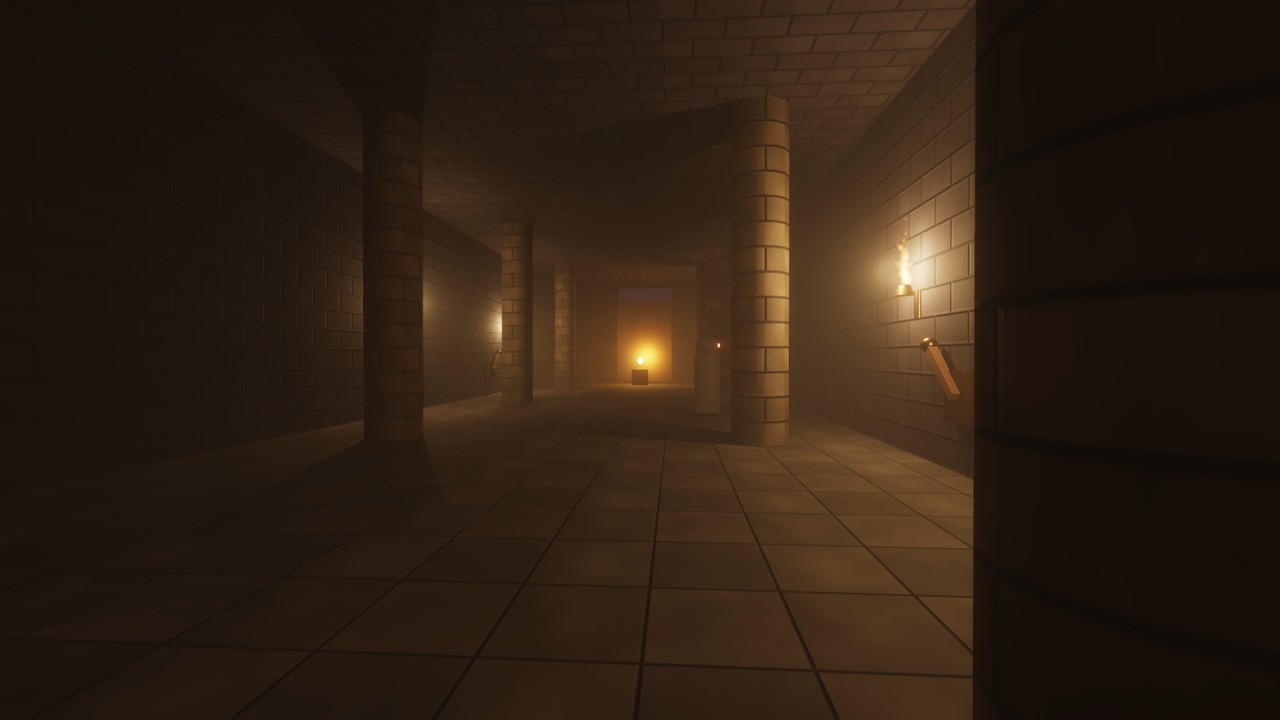
A torchlit hall with stone pillars and a glowing ember at the far end
The Hall of Guardians: torchlight, cached lamp shadows, an ember on its pedestal
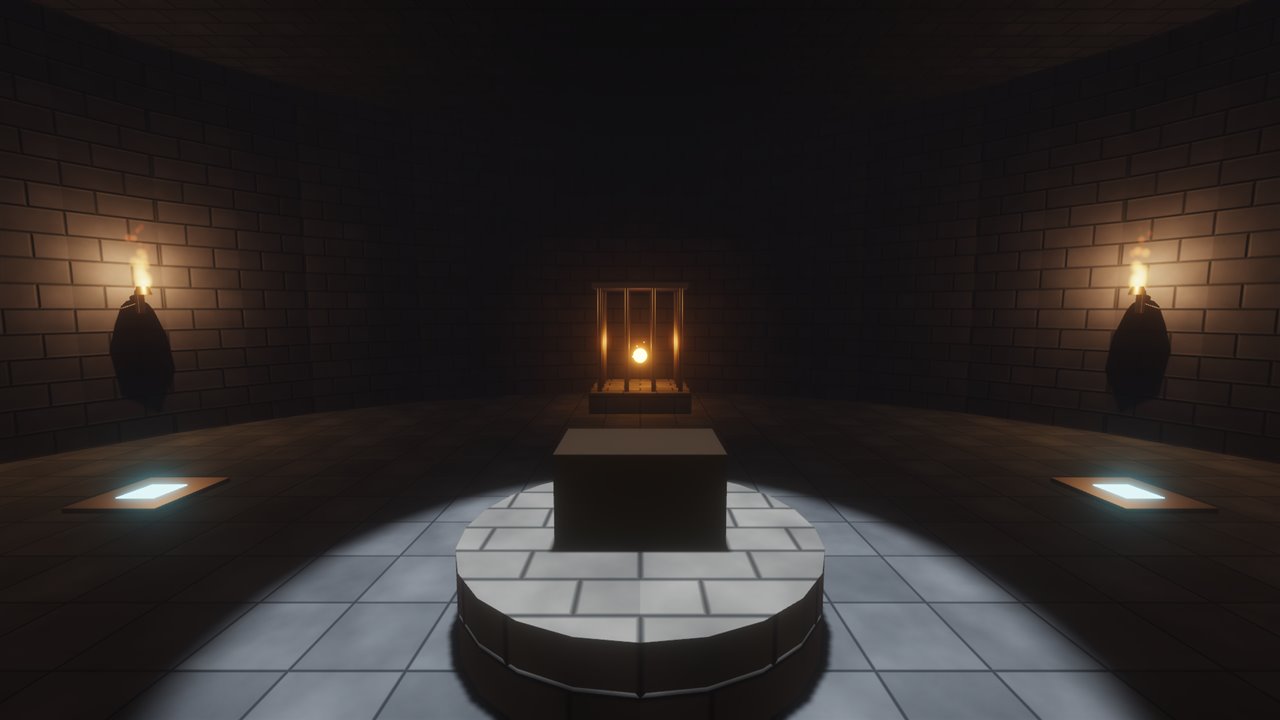
A round moonlit room with an ember locked in a cage
The Sanctum: two plates, two stones, one caged ember
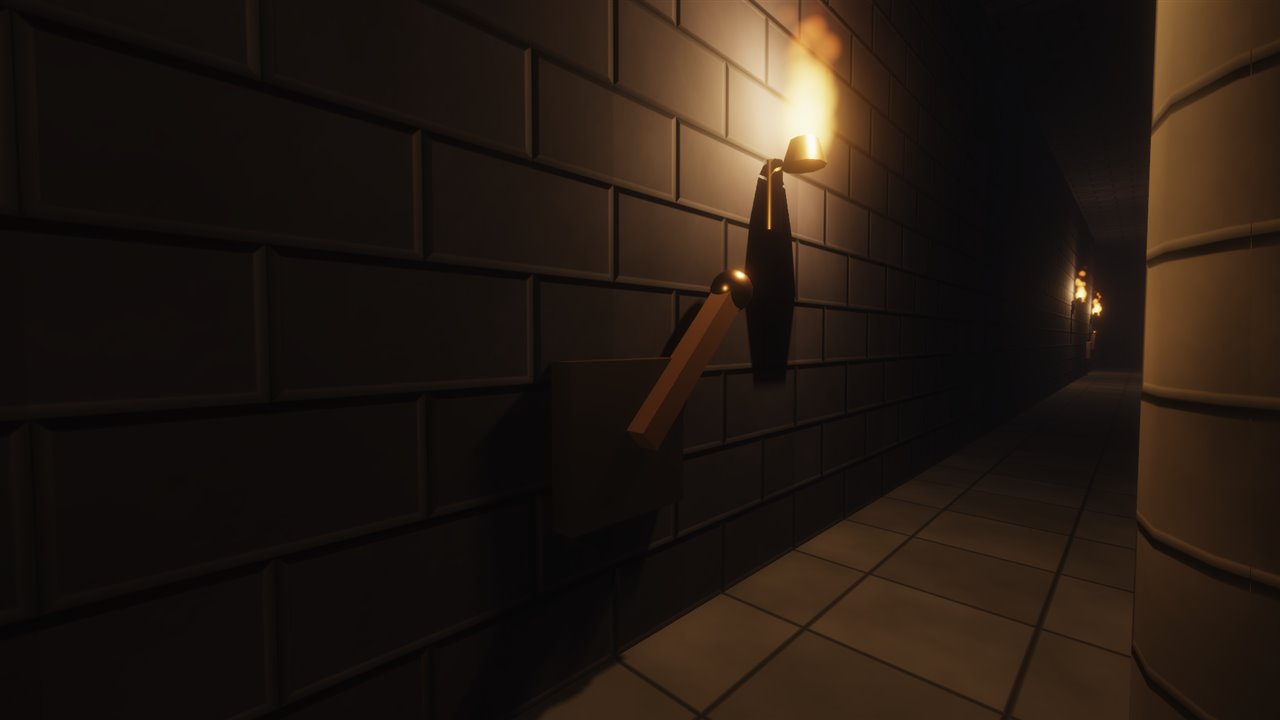
A wooden lever with a bronze knob under a wall torch
Three levers open the great door. The guardians are watching.
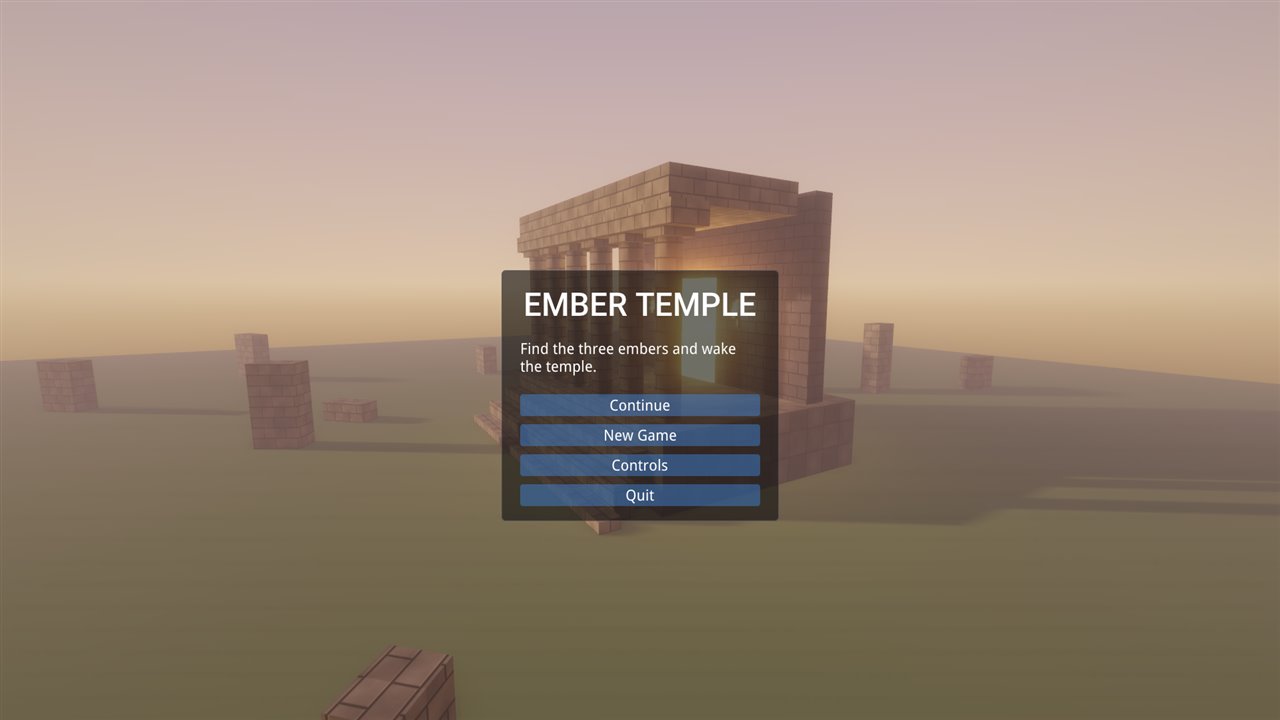
The Ember Temple title menu over a ruined temple at sunset
Title menu, built with the Lua ui.menu API

Showcase

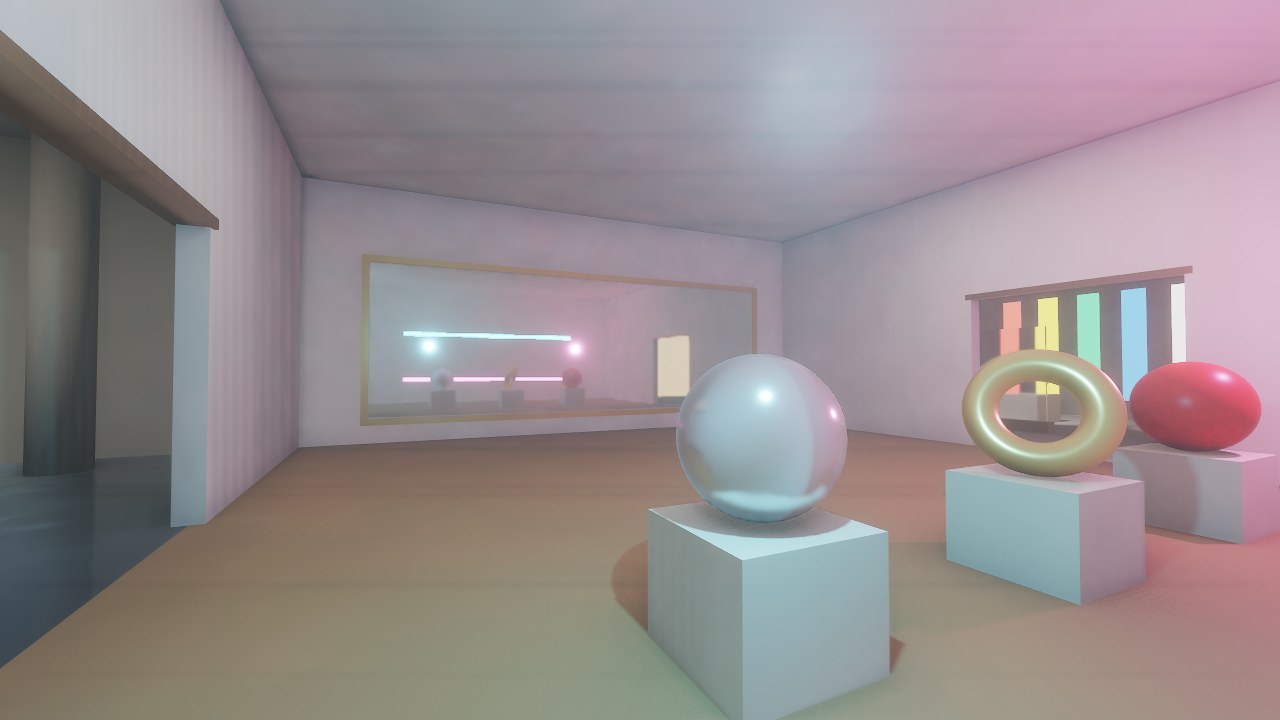
A walk through four rooms, with a sign at each doorway saying what you’re looking at. Made with the Blender add-on; its build script is in Samples & docs. It runs on OpenGL, or on Vulkan with --vulkan.
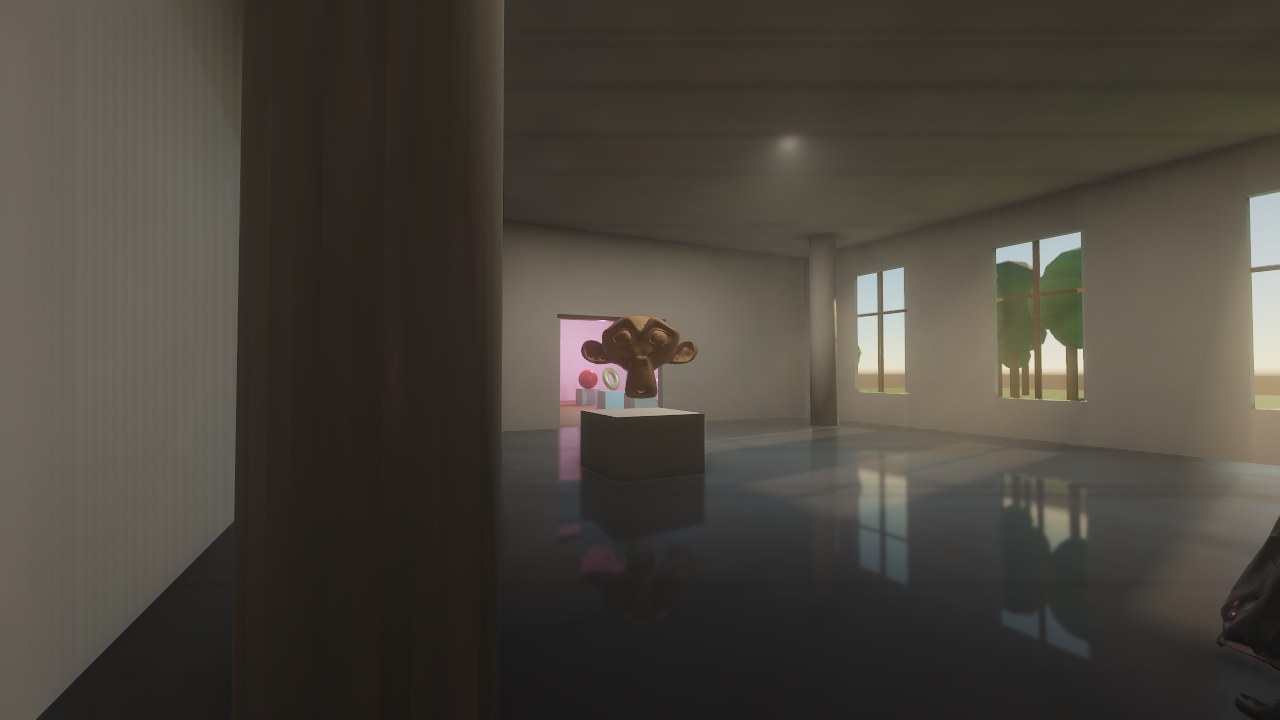
A tall hall with three glass windows, the low sun laying bright patches on a polished black floor that reflects the windows and a golden sculpture
The atrium: sun through glass into fog, a mirror-polished floor, and a quarter-million-triangle sculpture as virtual geometry
A gold-framed wall mirror reflecting cyan and pink neon tubes and lamps, with a chrome sphere, a gold ring and a red sphere on plinths in front
The hall of mirrors: a real mirror, neon, coloured lamps, chrome and gold
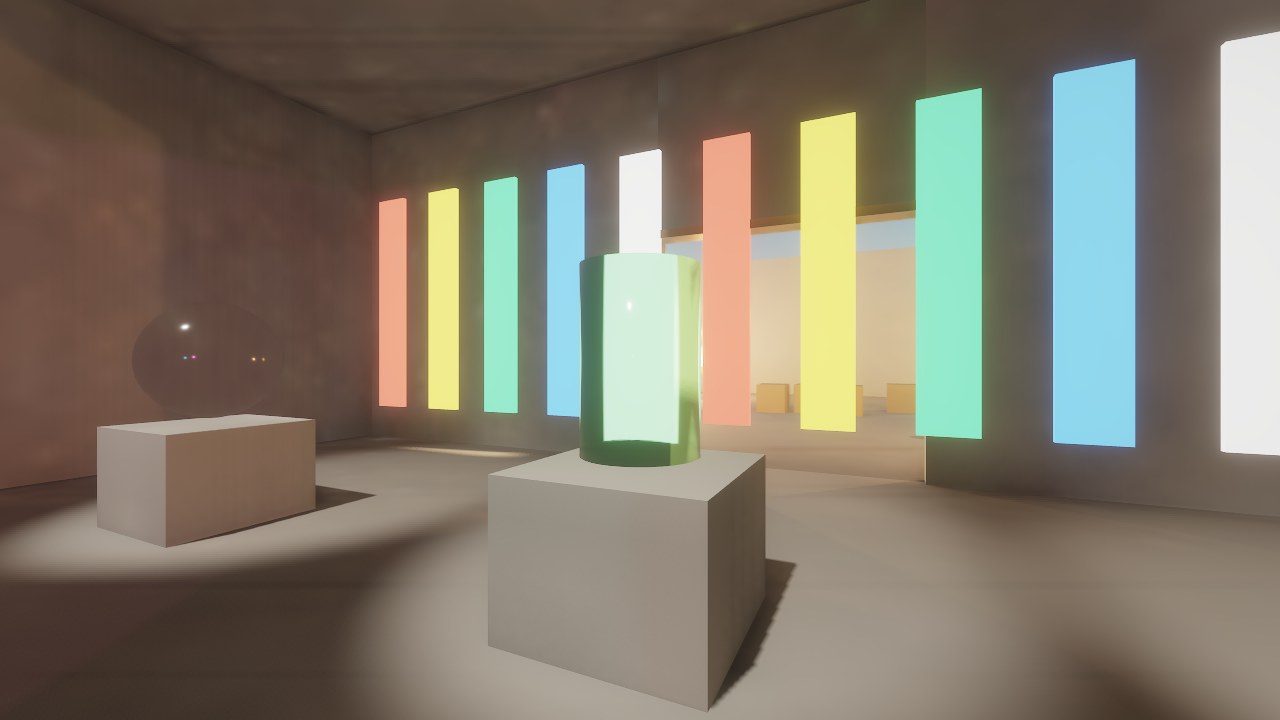
A green glass vase on a plinth bending the bright coloured stripes behind it, a clear glass sphere beside it
The glass gallery: glass bends, tints and (when frosted) blurs what’s behind it
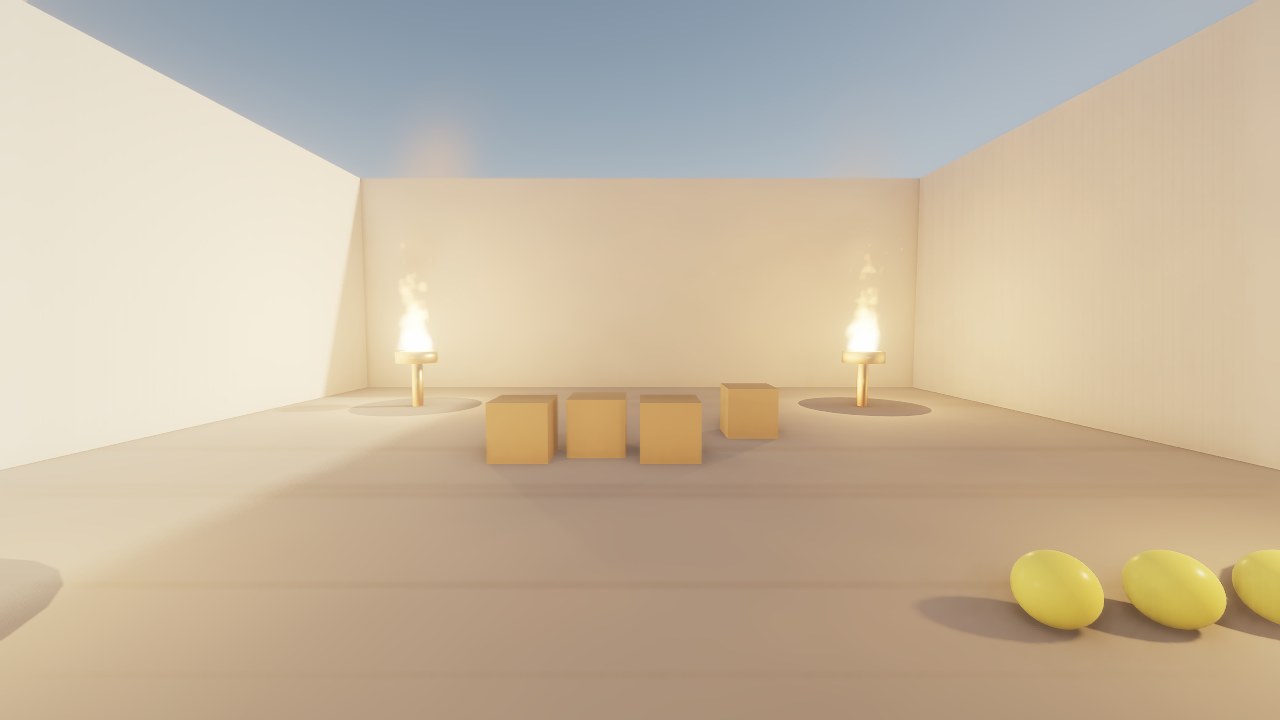
An open courtyard at golden hour with two braziers burning, crates stacked between them and yellow balls on the ground
The fire court: GPU fire, smoke and embers, crates that break, balls to throw

Engine demos

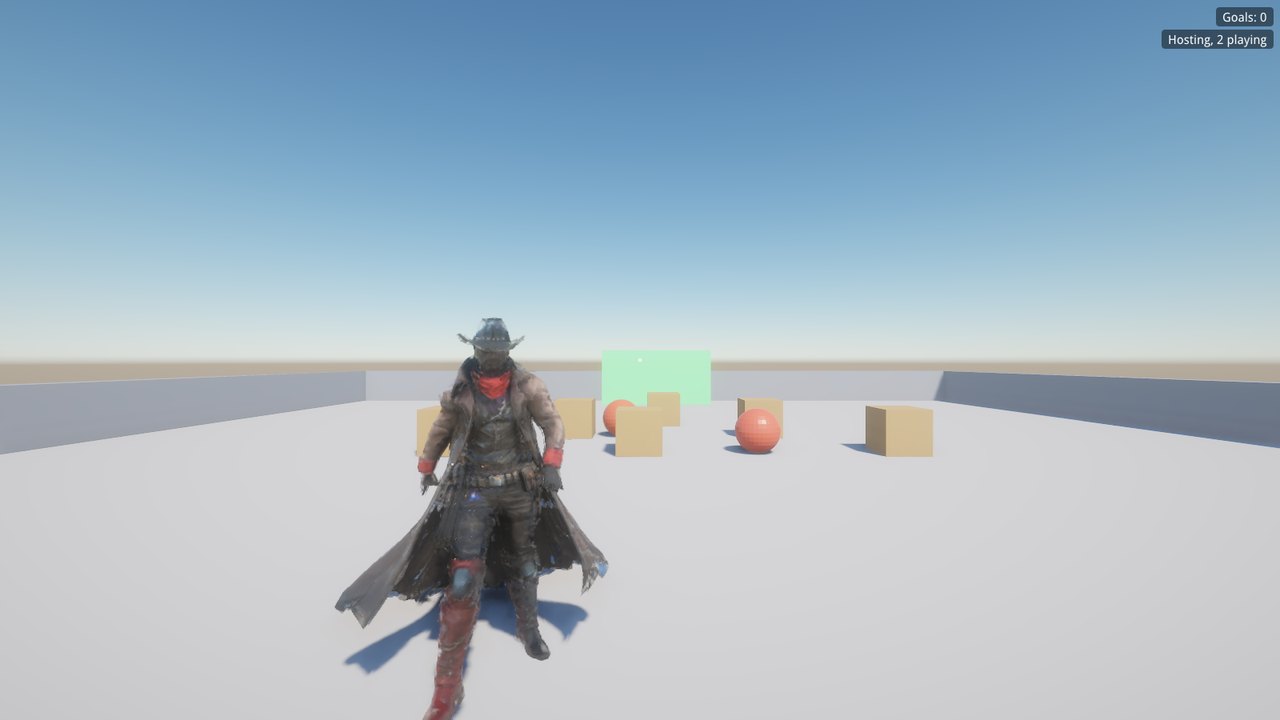
Another player walking between crates and red balls in the multiplayer demo, seen by the host
Multiplayer: another player, seen by the host, among shared crates and balls
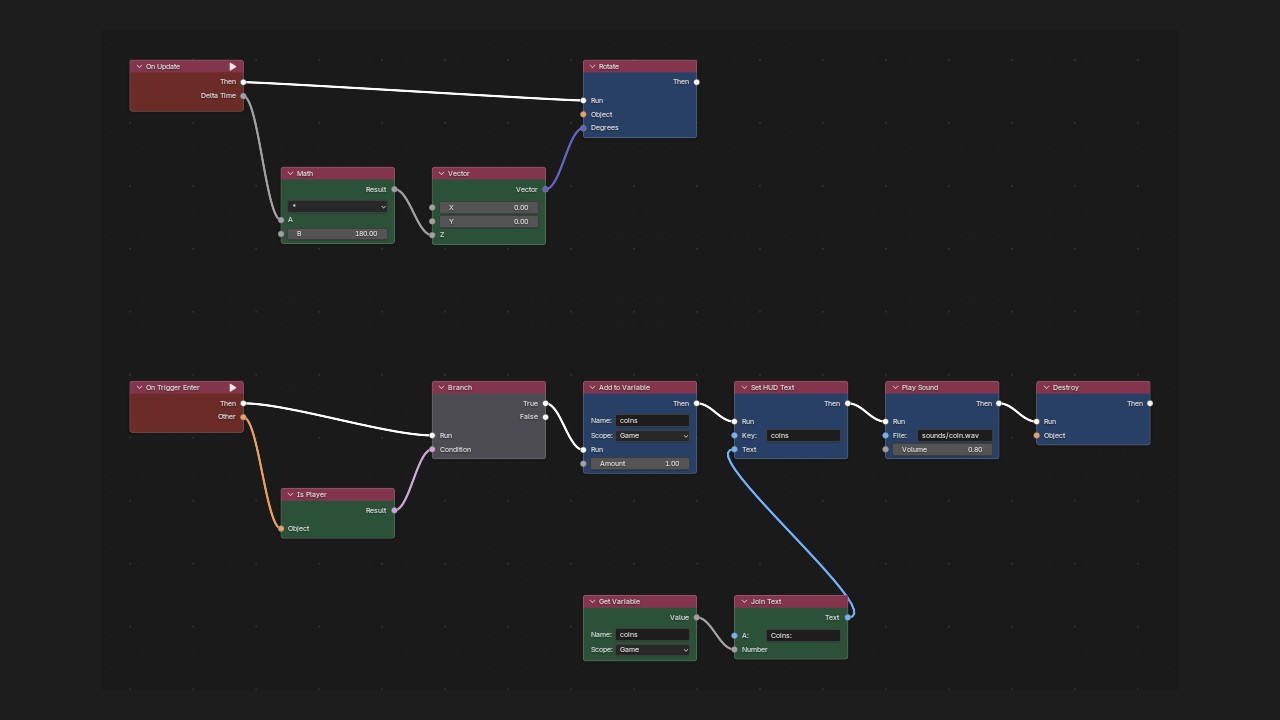
A logic graph in Blender's node editor: a coin that spins and counts itself when the player touches it
Logic graphs: a coin’s whole behaviour, no code
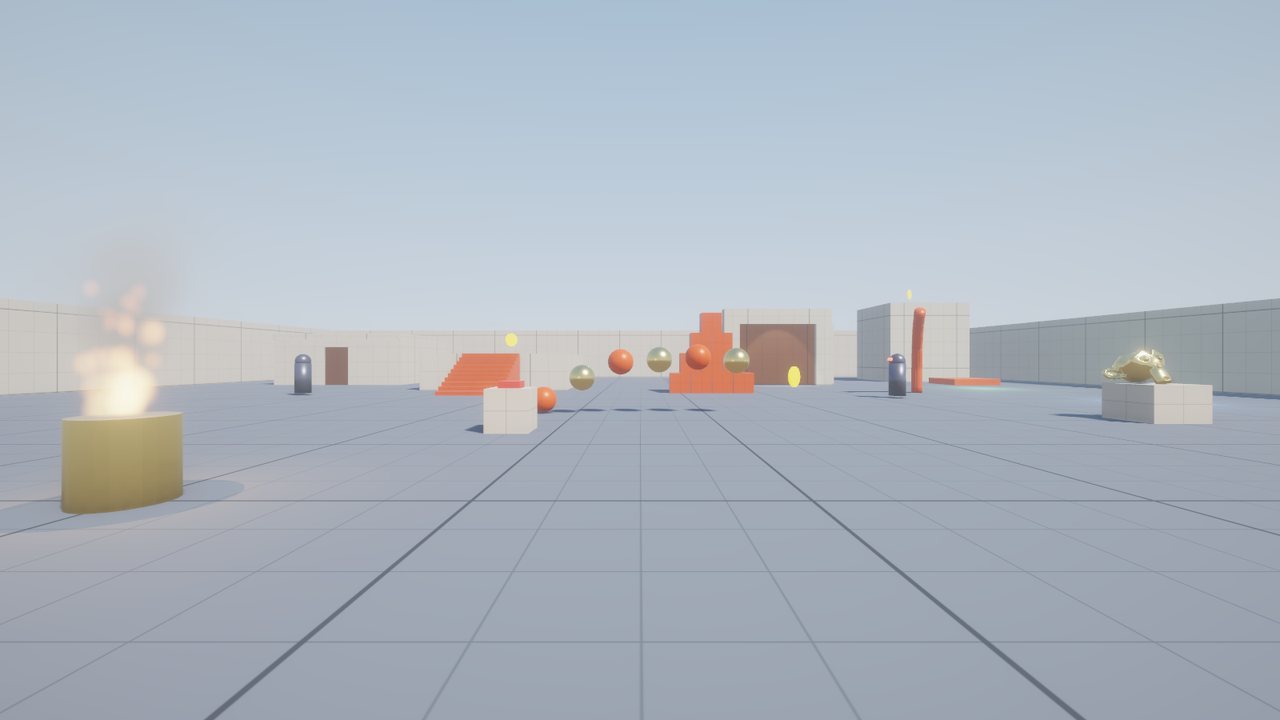
Sample level with coins, a lift, a door and physics props
Sample game: coins, a lift, doors, spawners and 3D sound
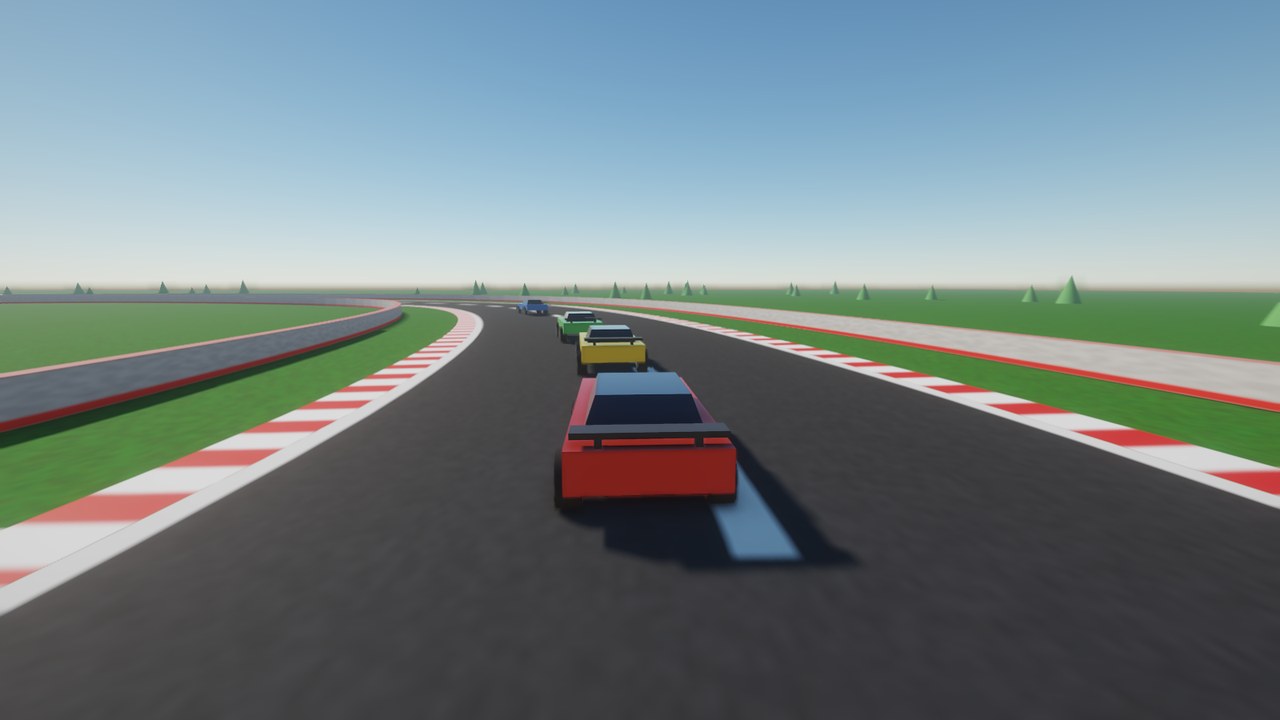
A red car chasing three others through a bend on a race track
Racing demo: Jolt vehicles, a chase camera and AI drivers in Lua
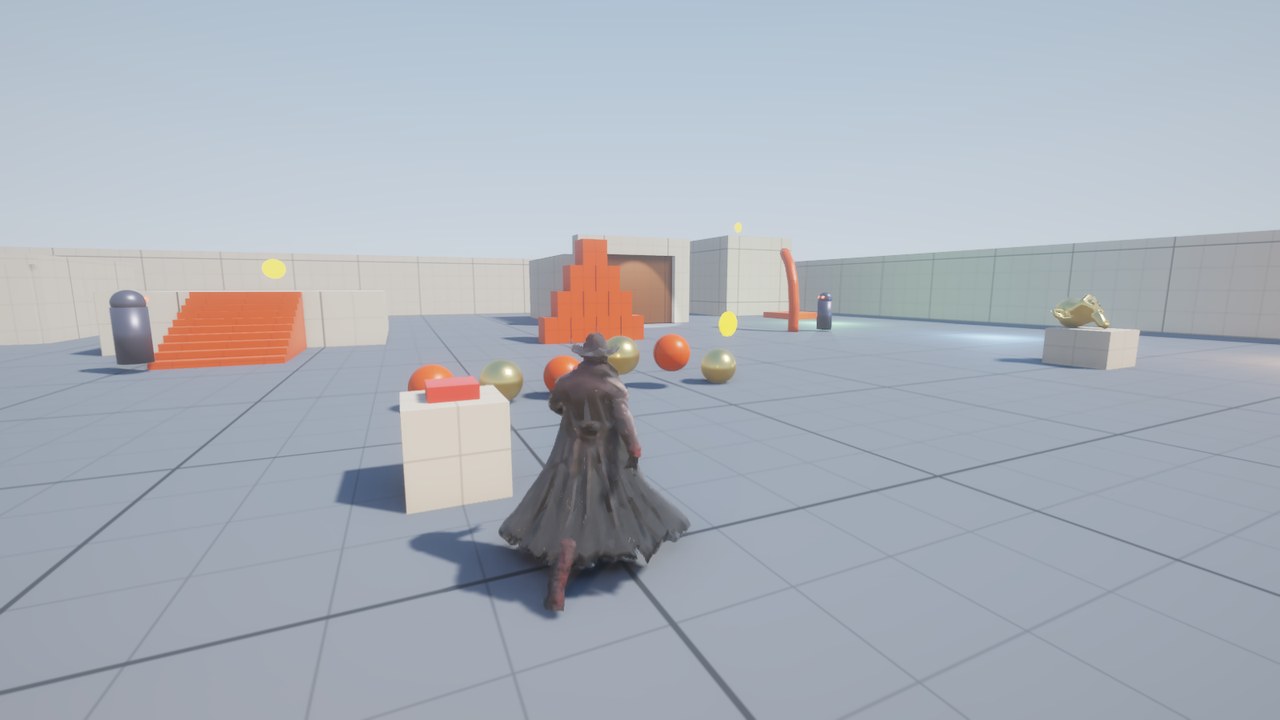
A cowboy in a long coat walking across the sample level, seen from behind
Third person (press C): the built-in cowboy walks, runs and idles with you
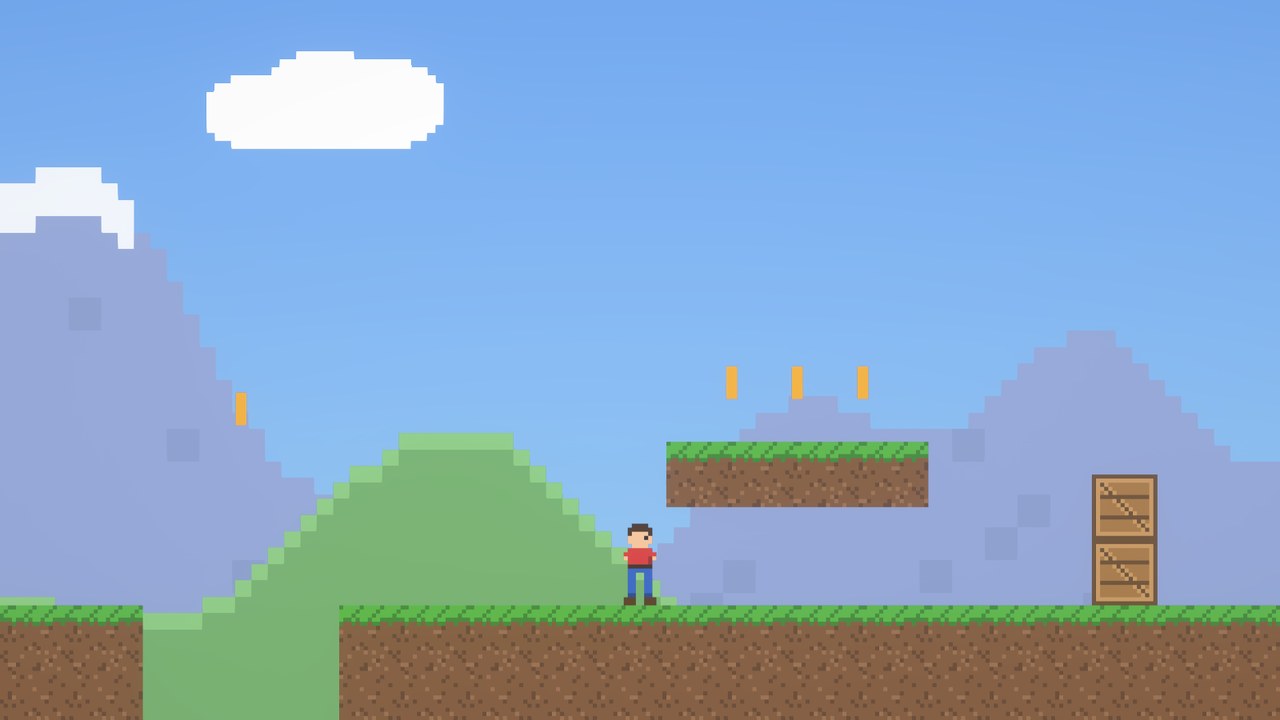
A pixel-art hero below a floating grass ledge with coins, wooden crates and mountains behind
2D demo: sprites, sprite-sheet animation, 2D physics and parallax, driven by a short Lua script
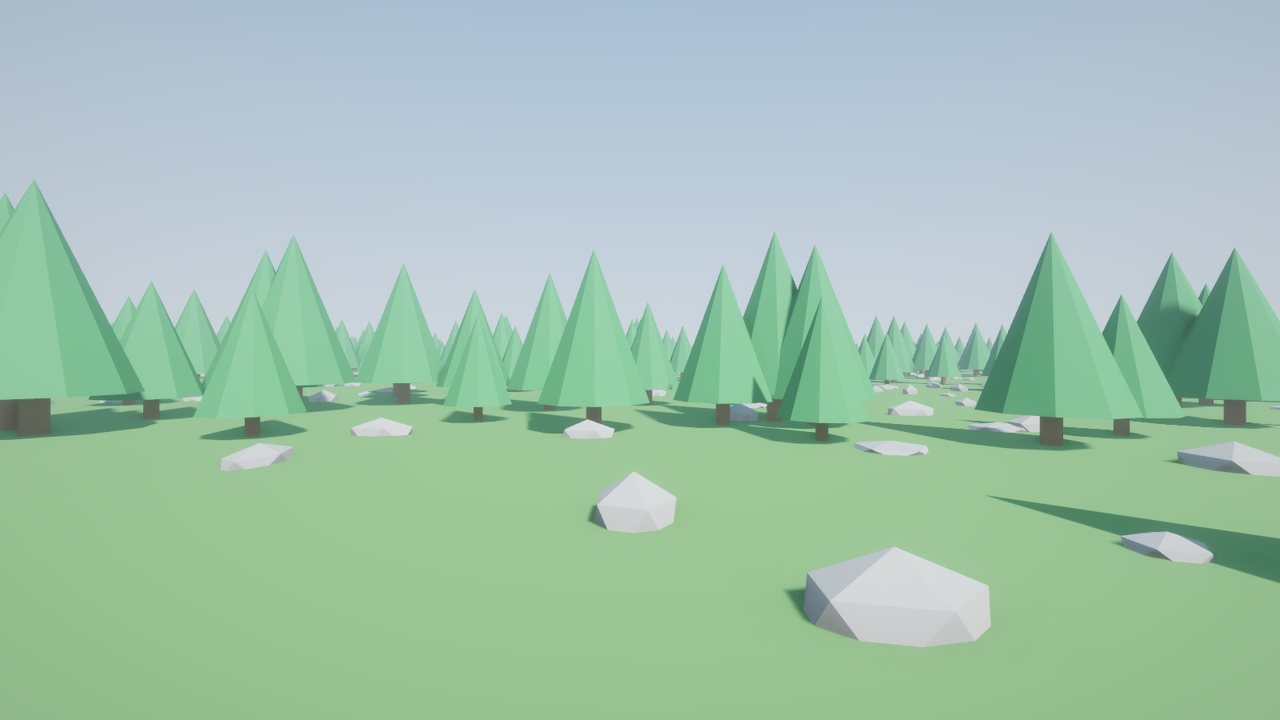
Low-poly forest with thousands of instanced trees and rocks
3000 instanced trees and a geometry-nodes rock scatter
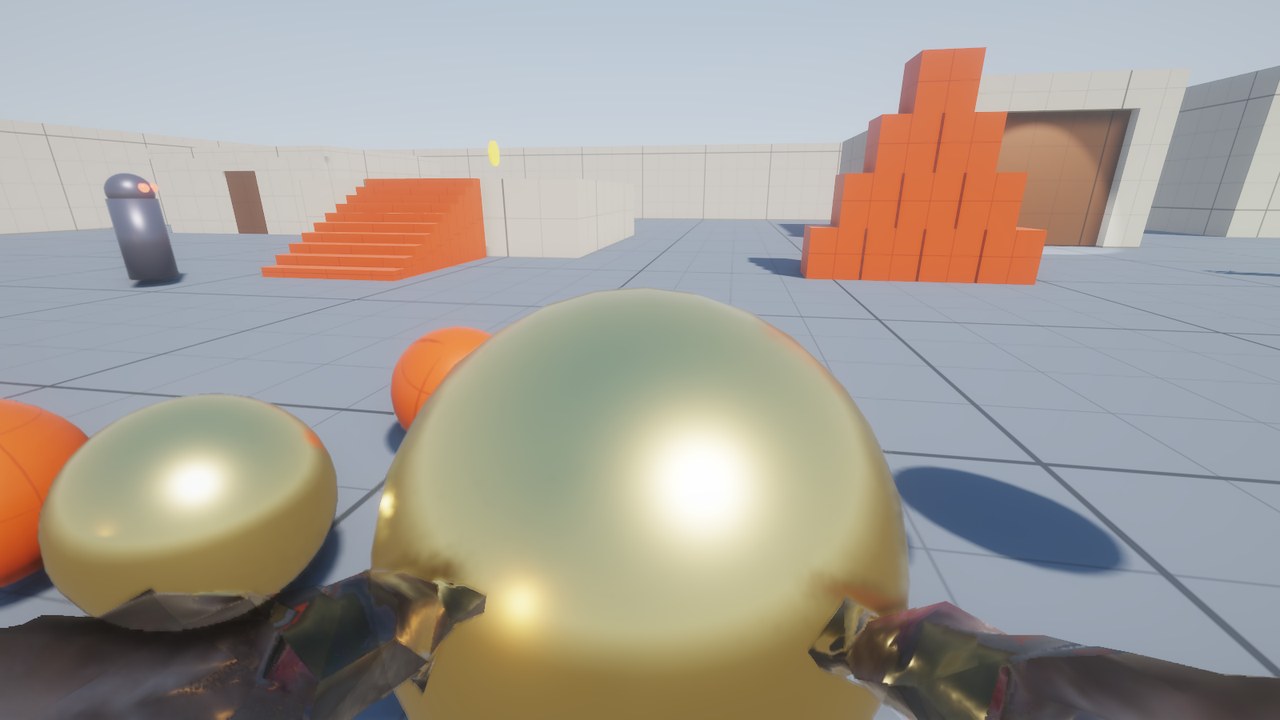
First person view: two gloved hands holding a large golden ball
First person: your own hands carry what you pick up

Performance

295benchmark score
geometric mean of average FPS over six stages

The Windows build includes a benchmark. Double-click run_benchmark.bat, and in about 35 seconds it runs six stress scenes with vsync off and writes a report with screenshots. These are the results on our test PC: an Intel i7-7700K with a GTX 1660 Ti, at 1600×900, with TAA, reflections and the rest of the default effects on.

StageAvg FPS1% lowGPU
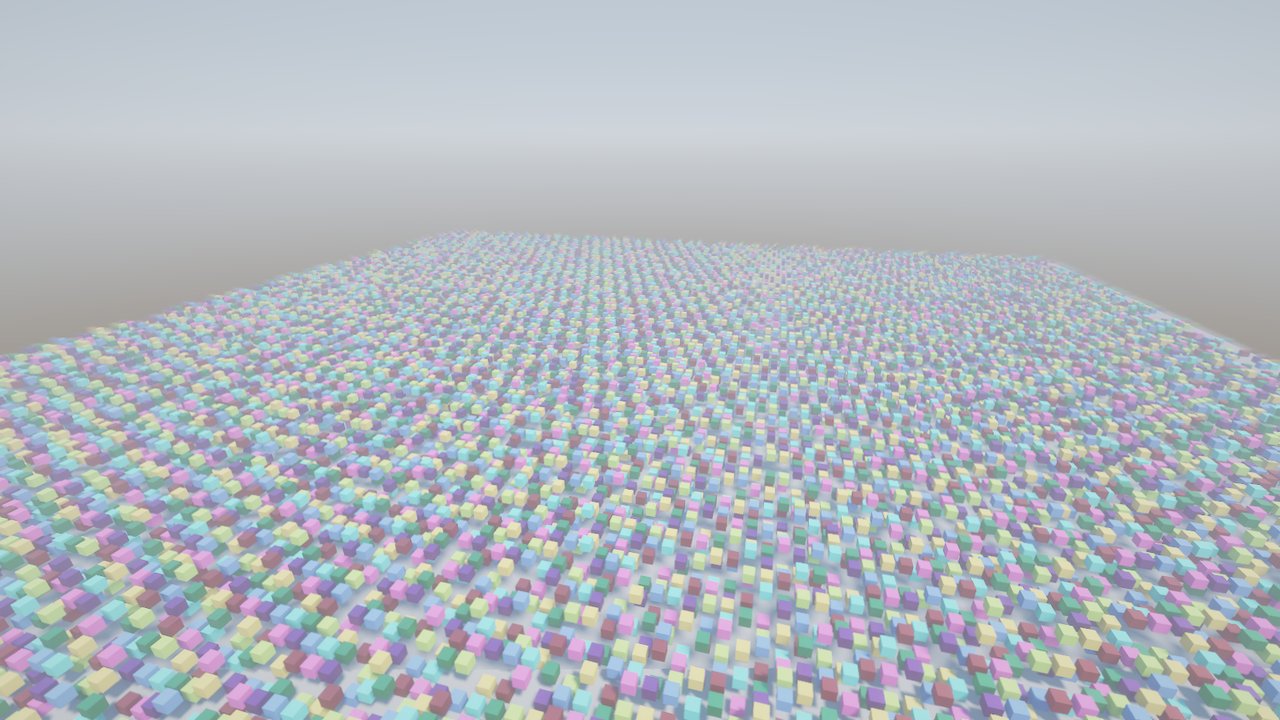
Instancing20,000 boxes sharing one mesh, sun shadows2351324.1 ms
Draw calls3,000 unique meshes, no instancing3312492.9 ms
Lights1,000 point lights + 8 moving shadowed lamps3642572.6 ms
Physics2,000 Jolt boxes avalanching into a pit1821292.1 ms
Navmesh AI300 agents re-planning across a maze3772701.8 ms
Particles~90,000 live particles, simulated on the GPU338882.8 ms

Run on 2026-10-17, after objects that don’t move stopped costing work every frame. The build before, run alternately with this one on the same PC, scored 266–278; the 20,000-box stage went from about 175 to 233 FPS. (The particles stage’s 1% low is one hitch in this run; in the other run it was 252.) Scores from different days, or from different PCs, aren’t directly comparable.
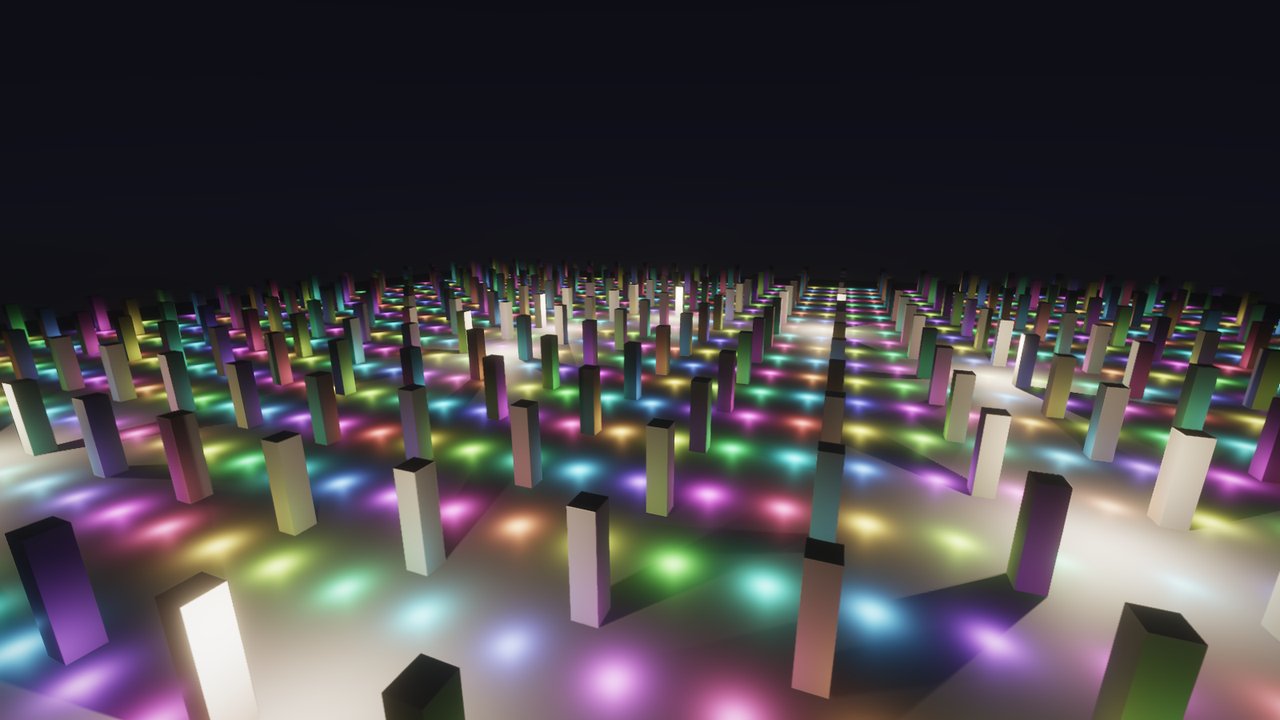
Hundreds of coloured pillars lit by a thousand small coloured lights at night
Lights: 1,000 clustered point lights, 8 of them casting moving shadows
A field of 20,000 coloured boxes under the sun
Instancing: 20,000 boxes with cascaded sun shadows
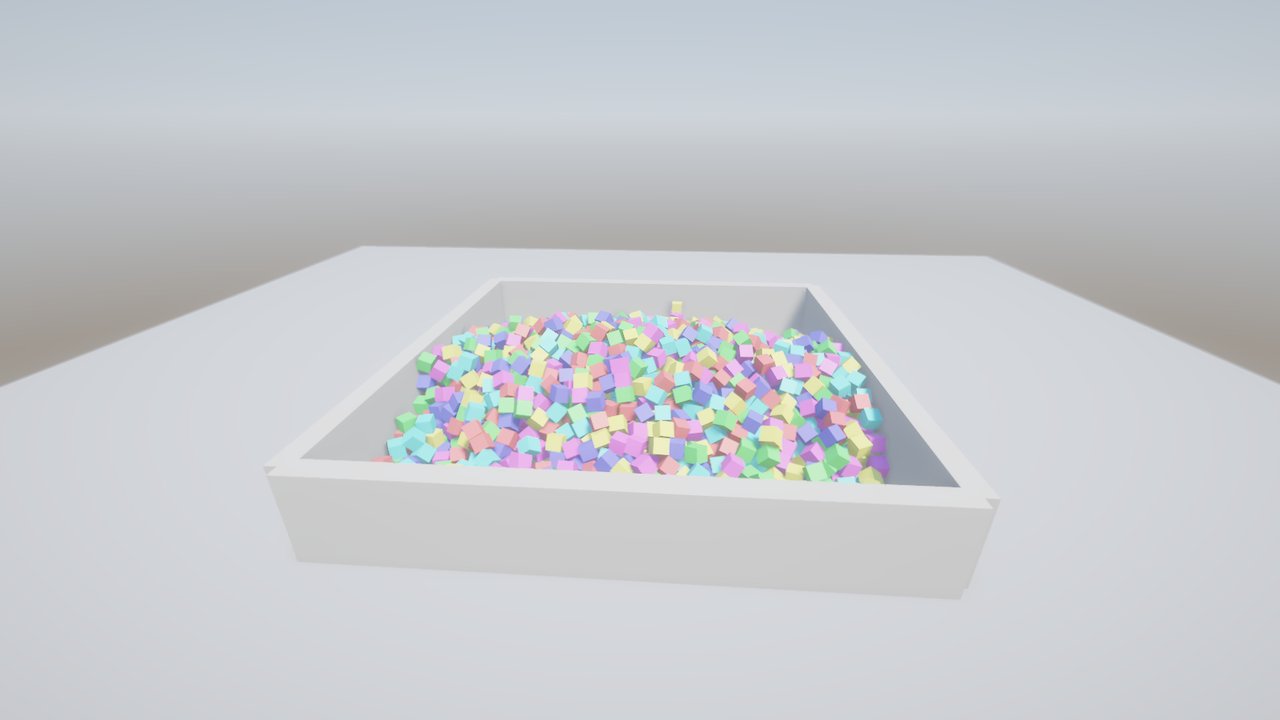
Thousands of pastel boxes piled in a walled pit
Physics: 2,000 dynamic boxes settle in a pit
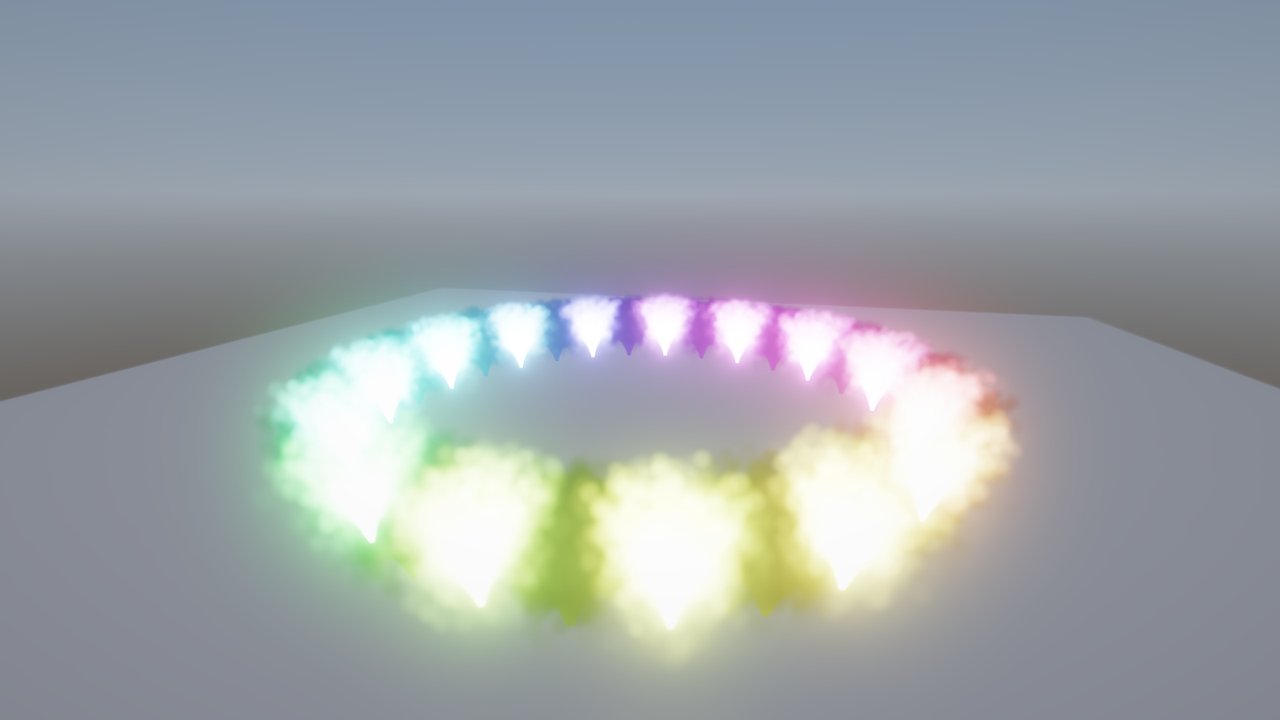
A ring of thirty glowing rainbow-coloured particle fountains
Particles: 30 emitters, sorted and blended

Against Unreal Engine 4.26. We built the same scenes, from the same numbers, in Unreal and ran them on the same PC at 1920×1056. Each frame now does similar work in both: temporal anti-aliasing, ambient occlusion, screen-space reflections, a physical sky, and shadows from the sun and 8 moving lamps. DarkRoast also runs motion blur and auto-exposure, which were off in Unreal. Unreal still adds real-time sky-light capture and its deferred, Epic-quality shading. Average FPS:

StageDarkRoastUnreal 4.26Faster
Draw calls2502231.1×
Lights2641172.3×
Physics170832.0×

DarkRoast 2026-10-17 (mean of two runs) against Unreal 2026-10-16. Unreal ran in its development mode, not a shipping build, and merged its reused cubes into about 66 draws where DarkRoast drew 3,000 unique meshes. Its other stages needed C++ or Blueprint work, or more memory than its editor had. Being faster doesn’t make DarkRoast a better engine than Unreal, which has a far more complete renderer and toolset.

Against UPBGE 0.50 (the maintained Blender Game Engine), DarkRoast was 6–21× faster on every stage, most of all with many objects: 20,000 boxes ran at 159 FPS against 7.4. UPBGE spends most of each frame keeping Blender’s scene data in sync. This was measured on 2026-10-16 with an earlier, lighter DarkRoast renderer. The method and every caveat are in docs\COMPARISON.md in the Samples & docs download.

Writing games

There’s no separate program to write. You build the level in Blender, then give objects behaviour with short Lua scripts attached right in the BlendForge tab.

  1. Select an object → Object Components → Script → click the new-file button.
  2. Edit it in Blender’s Text Editor. Whole-level logic goes in World → Level Script.
  3. Press Play. Press it again while the game runs to hot-reload.

A script is just a few callbacks. This spinning coin adds to the score when you touch it:

function on_update(self, dt)
  self:rotate(0, 0, 90 * dt)          -- spin 90°/sec
end

function on_trigger_enter(self, other)
  if other.is_player then
    game.score = (game.score or 0) + 1
    ui.set("score", "Score " .. game.score)
    self:destroy()
  end
end

Scripts can move and spawn objects, raycast, read input, show HUD text, run cutscenes, drive navmesh AI, play animations and sounds, switch levels and save games.

Licensing

Everything here is free. Use the engine to make games and sell them, with no fees or royalties. The engine’s source code is the one thing that isn’t released.

The engine (Windows build, and the player in every packaged game)Free for any use, including commercial games. No source code. LICENSE.txt in the download.
The Blender add-onFree software: GPL 3.0 or later, as Blender add-ons are. LICENSE.txt in the add-on.
Samples, Ember Temple’s project, docsMIT: copy them, change them, use them in your games.
Data Rustlers, Ember Temple and the demo gamesFree to play and share.
Libraries and fonts built into the engineTheir own licences (MIT, zlib, Apache 2.0), listed in full in THIRD-PARTY-NOTICES.txt.

Games made with Package Game carry the engine’s licence and the third-party notices in their folder; your own art, levels and scripts stay yours.

📖 Help & documentationGetting started, the Blender add-on, the full Lua reference, a script cookbook, shipping your game and troubleshooting →

Quick start

  1. Unzip the Windows build anywhere, e.g. C:\BlendForge.
  2. In Blender: Edit → Preferences → Add-ons → Install from Disk, pick blendforge_addon.zip and tick it.
  3. Expand BlendForge in the add-on list and set Engine executable to C:\BlendForge\blendforge.exe.
  4. In the 3D viewport press N → BlendForge tab → Play.
Requirements: Windows 10 or 11 (64-bit) · a GPU with OpenGL 4.5 (anything from the last ten years) · Blender 4.0 or newer
No Blender? Unzip Samples & docs and drag samples\test_level.glb onto blendforge.exe to play the sample.
Controls: WASD + mouse, Space jump, E use, click to pick up, right-click to throw, Esc for the pause menu.

Signed: every program here is code-signed by Sentient Bean LLC (Microsoft-verified). Windows SmartScreen may still ask for a while, until the downloads build up reputation: click More info → Run anyway.